Status Flasher
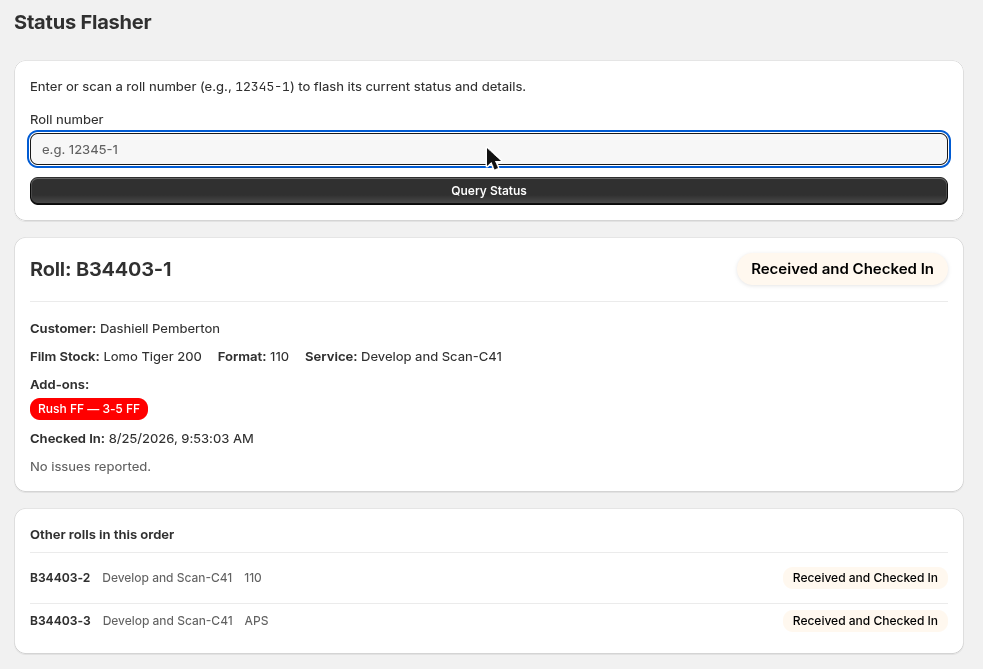
Scan a roll and its status, service, chemistry and add-ons flash up in large color-coded type. No navigation, no reading a screen full of fields.
For film labs
Less time on the phone answering “where's my film?” Less time re-keying the same roll onto a form. A clear record of who did what, and when. Twin Check'n tracks every roll of film from check-in to delivery — for the lab, and for the customer.
The problem
Before Twin Check'n, Coastal Film Lab ran on paper: a Twin Check sticker on the film, a matching sticker and hand-written film stock on the order form, and a technician's memory for where any given roll actually was.
Without a system, that turns into noise. The lab was fielding five to six phone calls a day just asking “where's my film?” — for a lab without someone dedicated to answering phones, that's a constant tax on whoever's trying to get film through the pipeline instead.
Rolls were rarely lost outright, but finding one — or figuring out who last touched it — meant walking the floor and asking around. Twin Check'n replaces that with a timestamped, attributed history: every status change is logged automatically, so any roll's exact location is a scan away.
Five or six calls a day asking “where's my film?” — Twin Check'n answers that before the phone rings.
How it works
An order is what a customer bought. But a lab doesn't do work on orders — it does work on rolls, one at a time, moving through the lab at their own pace. Twin Check'n tracks each roll independently: its own barcode, its own status, its own history. An order's status is just a summary of where its rolls are.
A single Twin Check sticker goes on the film itself. Its barcode is the only thing anyone needs to scan to pull up everything about that roll — no order form, no separate paperwork.
Every time a roll's status changes, it's recorded automatically — who scanned it, what it changed to, and when. Nobody has to remember it or write it down.
As the rolls in an order move through the lab, the order's overall status rolls up automatically — accurate without anyone touching it by hand.
Default roll lifecycle
The lab floor
Four stages, each faster than the paper process it replaced. Every technician touchpoint is a barcode scan, not a form. Estimates below are approximate — they move with the person doing the work, and for scanning, with file size.
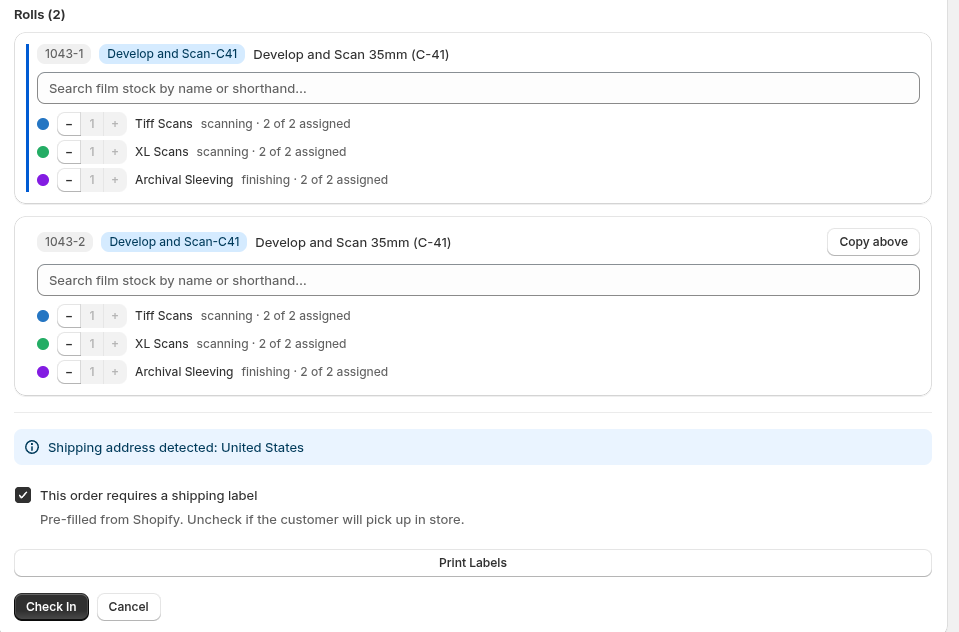
One Twin Check sticker goes on the film — no matching sticker or hand-written film stock on a separate order form. The barcode is the only record anyone needs from here on.
Roughly half the handling time of the old two-sticker, hand-written process.
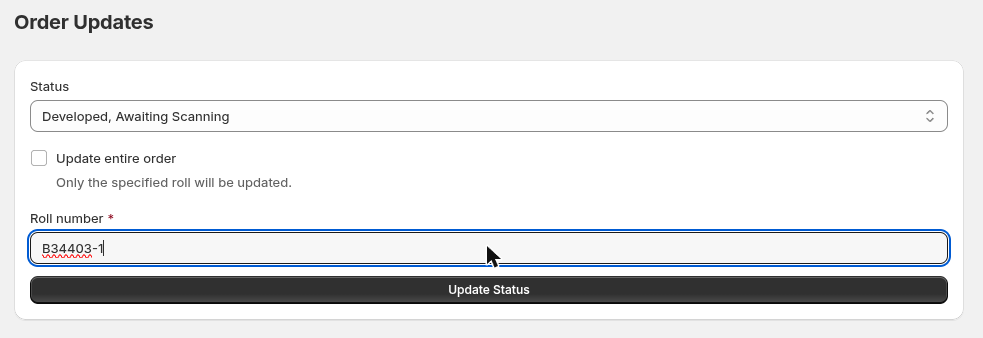
Scan the roll, advance its status. No pulling a paper order form to update it by hand.
About a 15% productivity gain from cutting out the pairing step.
Scan the roll's barcode to pull up its scan job. Once the scanner outputs images, the scanning agent renames and files them automatically into a delivery folder, ready for quality control.
The biggest gain — roughly 30% more productive by cutting out manual data entry.
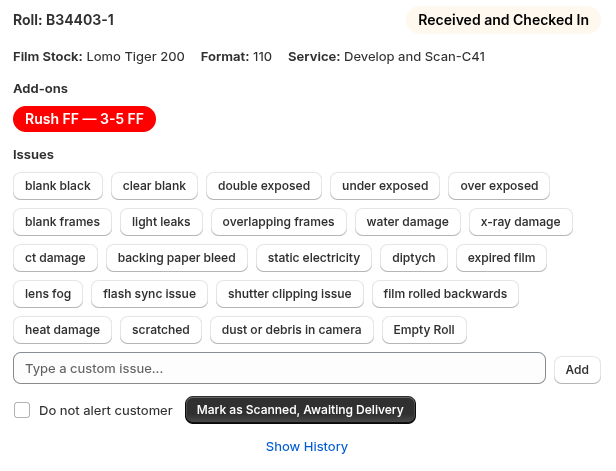
The order modal: update the roll or order, paste the shared scan-delivery link, hit send.
About a 10% productivity gain — no email template to pull up and paste into by hand.
Beyond the four steps
Pages built for moments the four-step workflow doesn't cover — quick lookups, bulk work, and the case where you don't want to touch the computer at all.
Scan a roll and its status, service, chemistry and add-ons flash up in large color-coded type. No navigation, no reading a screen full of fields.
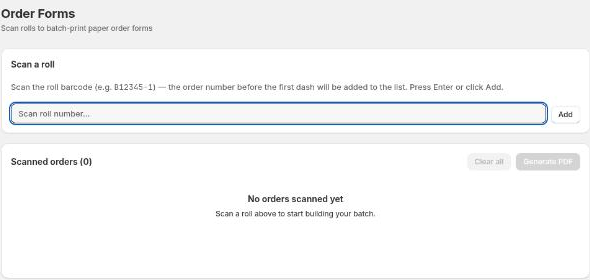
Scan a batch of rolls, then print labels or forms for all of them at once, instead of opening each order individually.
Set the scanner to a target status once, then it's scan, scan, scan, scan — no computer interaction between rolls. For a technician working through a stack of film, that's the difference between a task and an interruption.
For the admin side
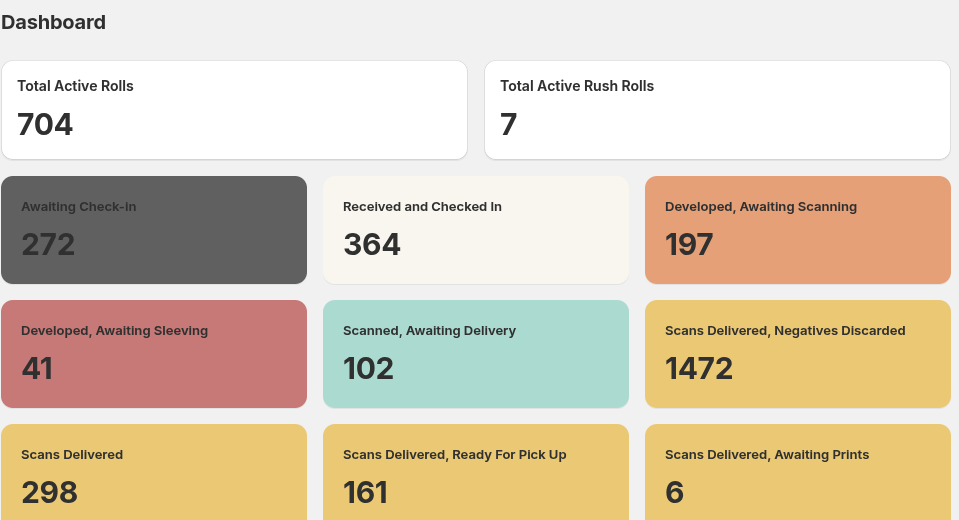
A live count of how many rolls are sitting at each stage — check-in, developing, scanning, delivery — so a bottleneck shows up as a number on a dashboard, not a guess from walking the floor.
Storefront
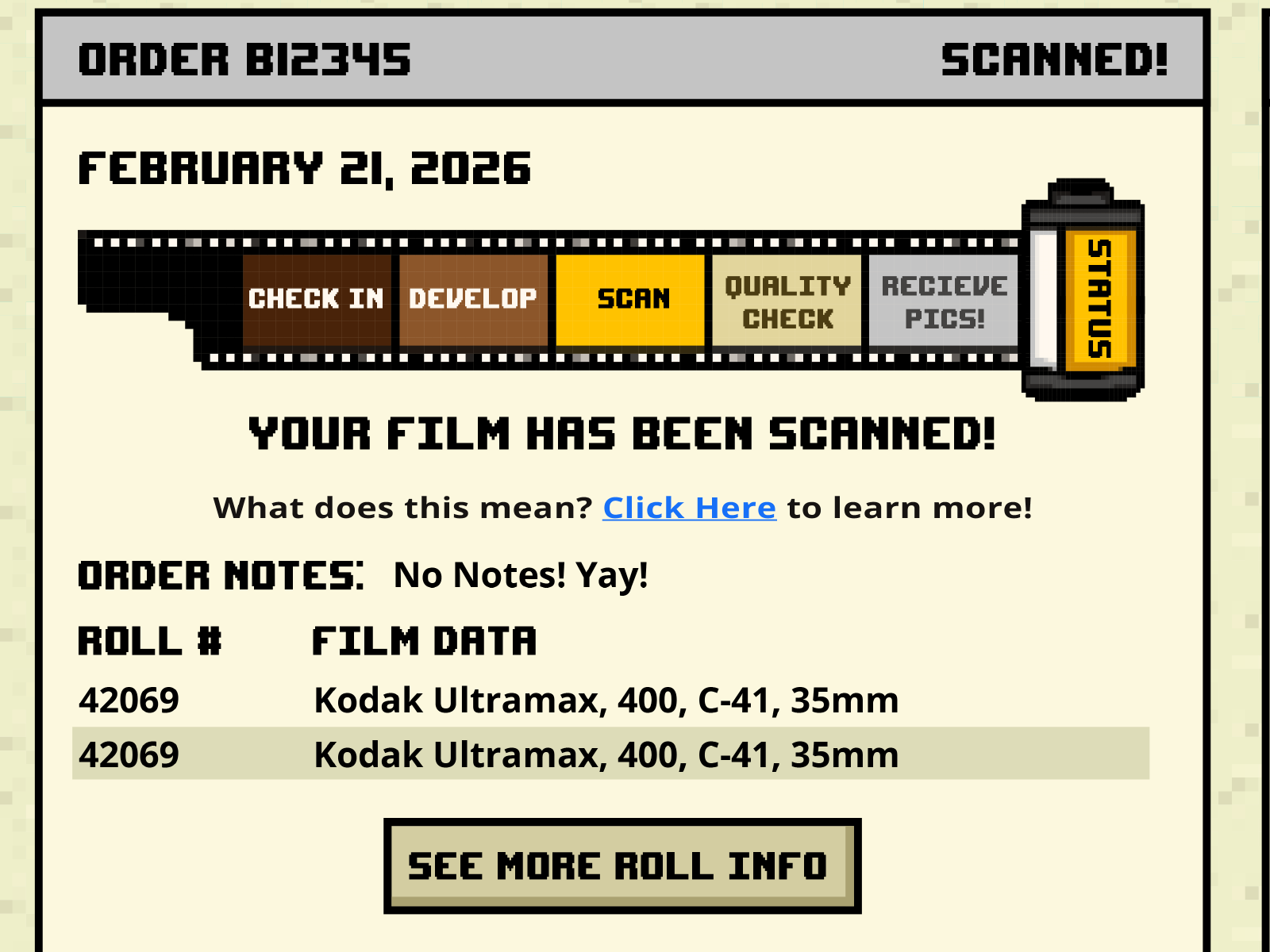
A theme app extension puts two blocks on the storefront. One shows live turnaround times computed from real status logs, with trend arrows. The other is the customer's own dashboard — every order, every roll, and exactly where each one is.
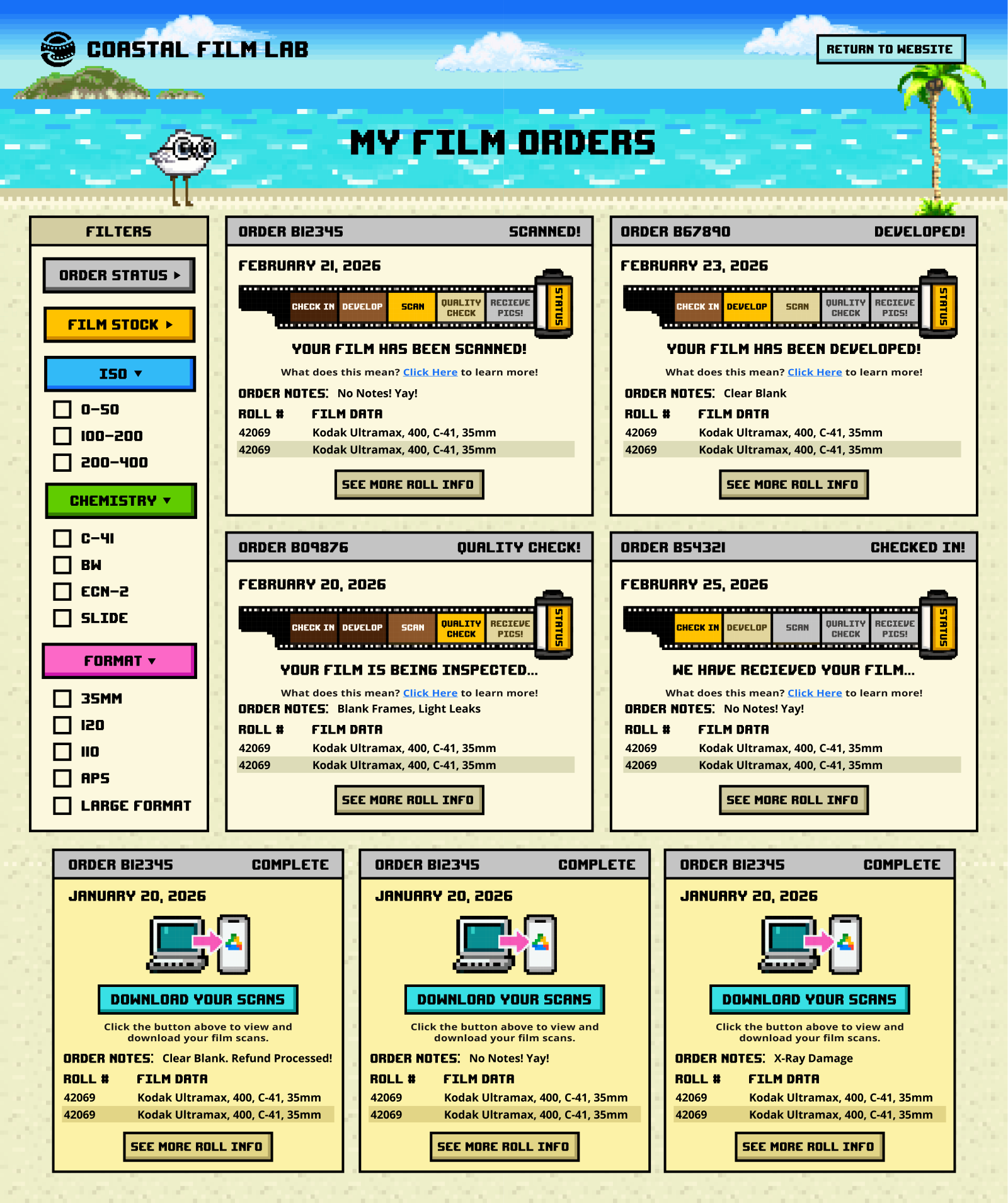
The progress bar is a strip of 35mm film. Each frame is a stage: check in, develop, scan, quality check, receive. It reads instantly to the kind of person who sends film to a lab.
Past orders can be filtered by film stock, ISO, chemistry type, format, and status — so a customer who shoots five different stocks can actually find the roll they're asking about, instead of scrolling.
Every status change can trigger an email — sent through SendGrid, with no one touching an email client. What's sent, and at which stage, is a lab setting, not a code change. Set it up once, in a few minutes.
Measurement
Because every status change is timestamped and attributed, the numbers fall out of the data rather than being entered by anyone.
Median time between stages, computed from status-log deltas across rolling 7, 14, 30 and 60-day windows, with trend arrows against the prior period.
Checked in, developed, scanned, delivered, cut and sleeved — counted per person, with peak-window highlighting and a printable report.
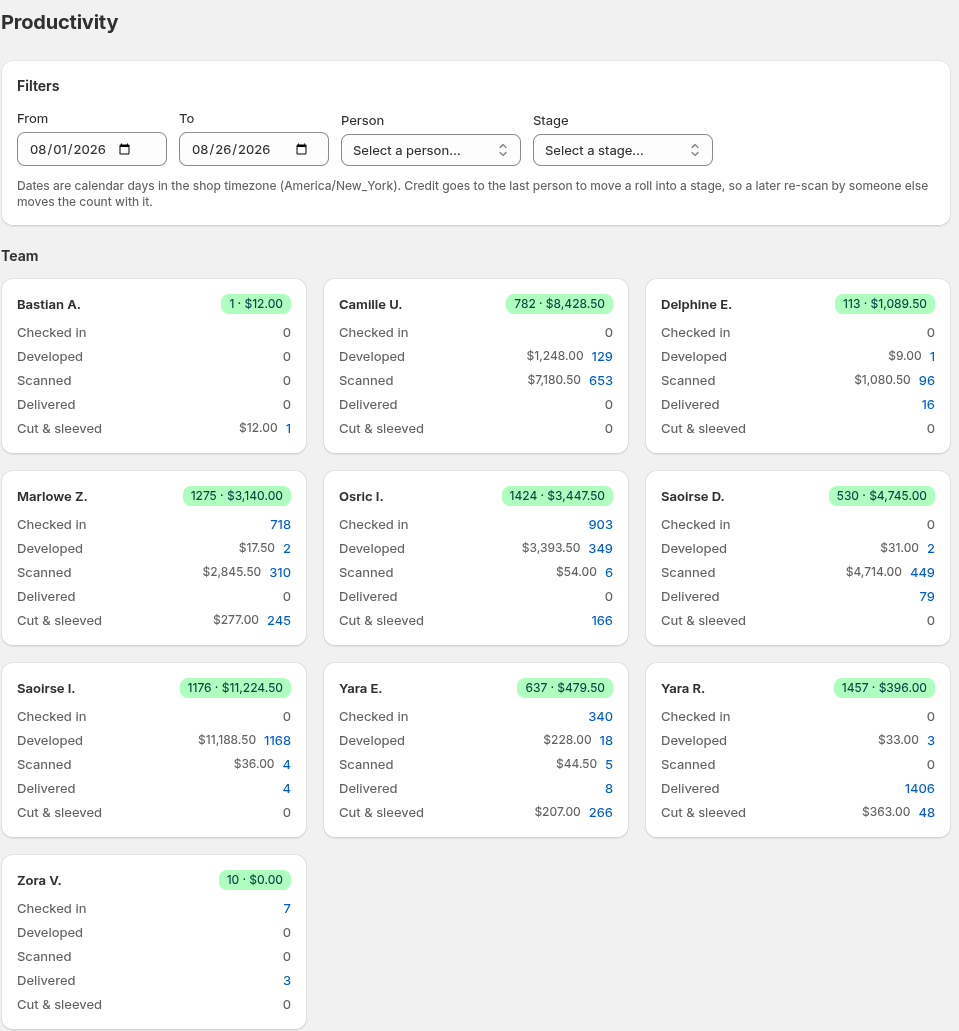
Each roll carries its line-item value, split across the stages it passes through. Production work gets attributed in dollars, not just counts.
Settings
Nearly everything a lab would want to change is a setting rather than a deploy. Expand any group below to see what's covered.
Today
Twin Check'n has run Coastal Film Lab's production floor daily since October 2025, replacing paper entirely, one station at a time. It hasn't missed a beat. Call it a production beta: real, stable, and what Coastal Film Lab actually runs on — but not yet open for other labs to buy.
Get in touch
Twin Check'n runs on Shopify today. A standalone version — built to work with WooCommerce, Squarespace, Square, and other platforms — is a few months out. If you want a demo, or just want to be on the list for when it's ready, get in touch.
Request a demo